
What's new at a glance
Allotment — Departure date sorting
Sort Allotment History by departure date
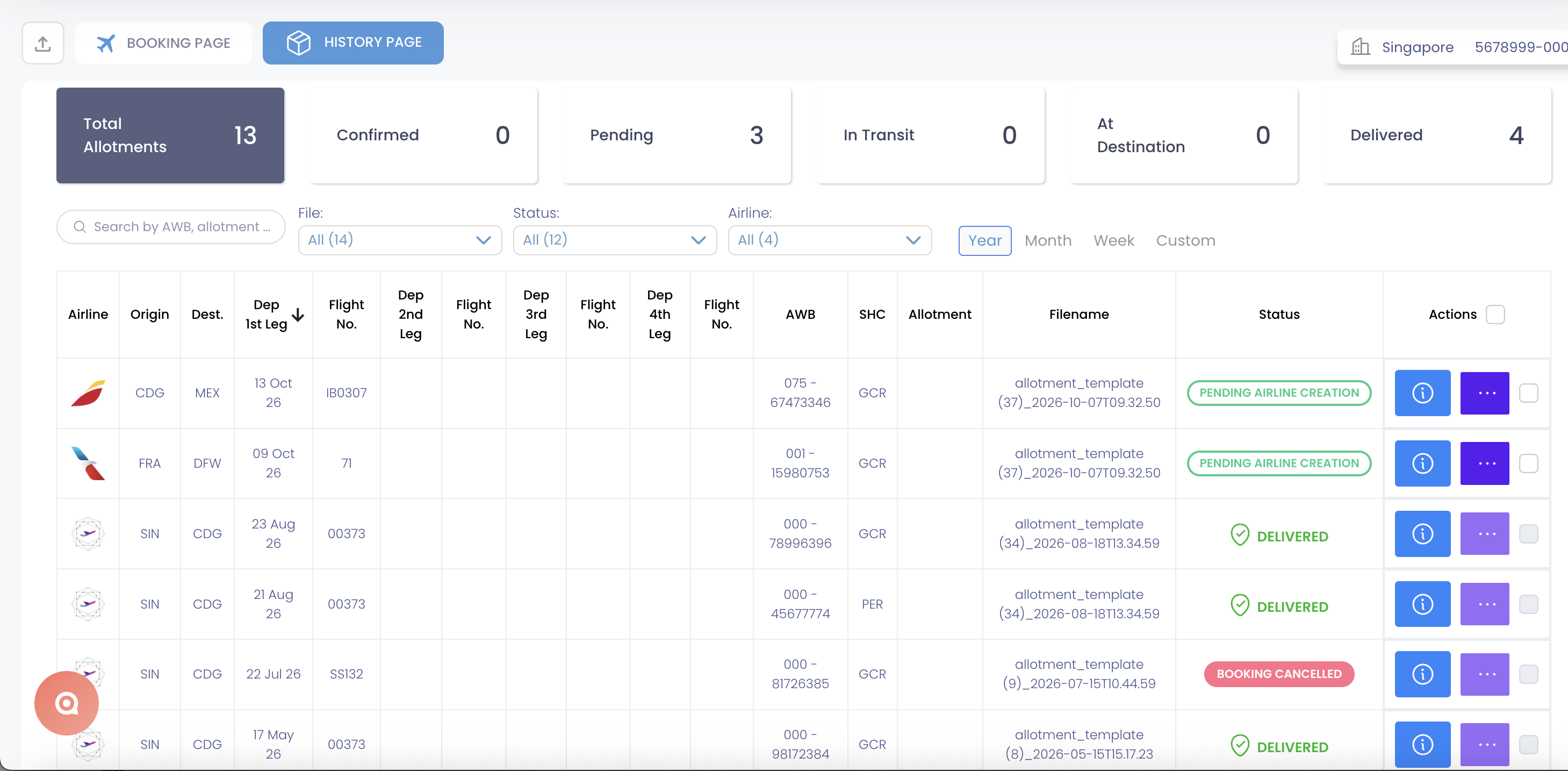
The Allotment History page now lets you sort bookings by the departure date of the first flight leg.
Click the "Dep 1st Leg" column header to organize bookings in ascending or descending departure date order.
Find upcoming or past allotment bookings more easily and review your shipment history in a more meaningful chronological order.
Go to Allotment → History and click the Dep 1st Leg column header to change the sorting order.
Rate Management System — Named Contract rates
Display contracted rates under your own commercial brand
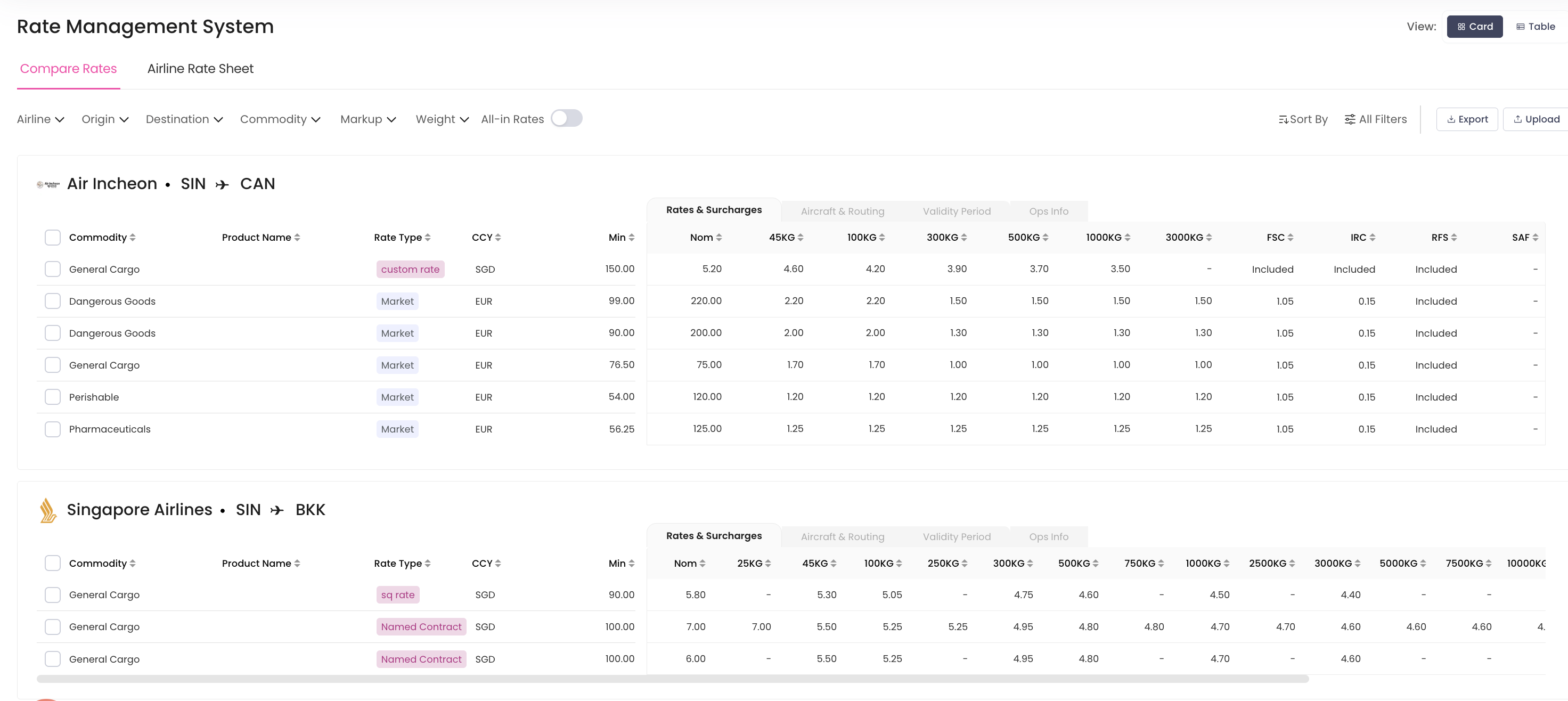
The RMS now supports a new rate type called Named Contract.
This rate type allows eligible airline-level rates to be displayed under a custom commercial name or alias defined for the forwarder.
For example, rates can appear under a forwarder's own commercial brand rather than the underlying airline name.
Named Contract is managed as a separate rate type, allowing Adhoc rates to retain their intended purpose.
Present eligible contracted rates under your company's commercial identity while keeping rate categories clearly differentiated in RMS.
Local Charges — Improved data management
Local charge uploads supported by CargoAi
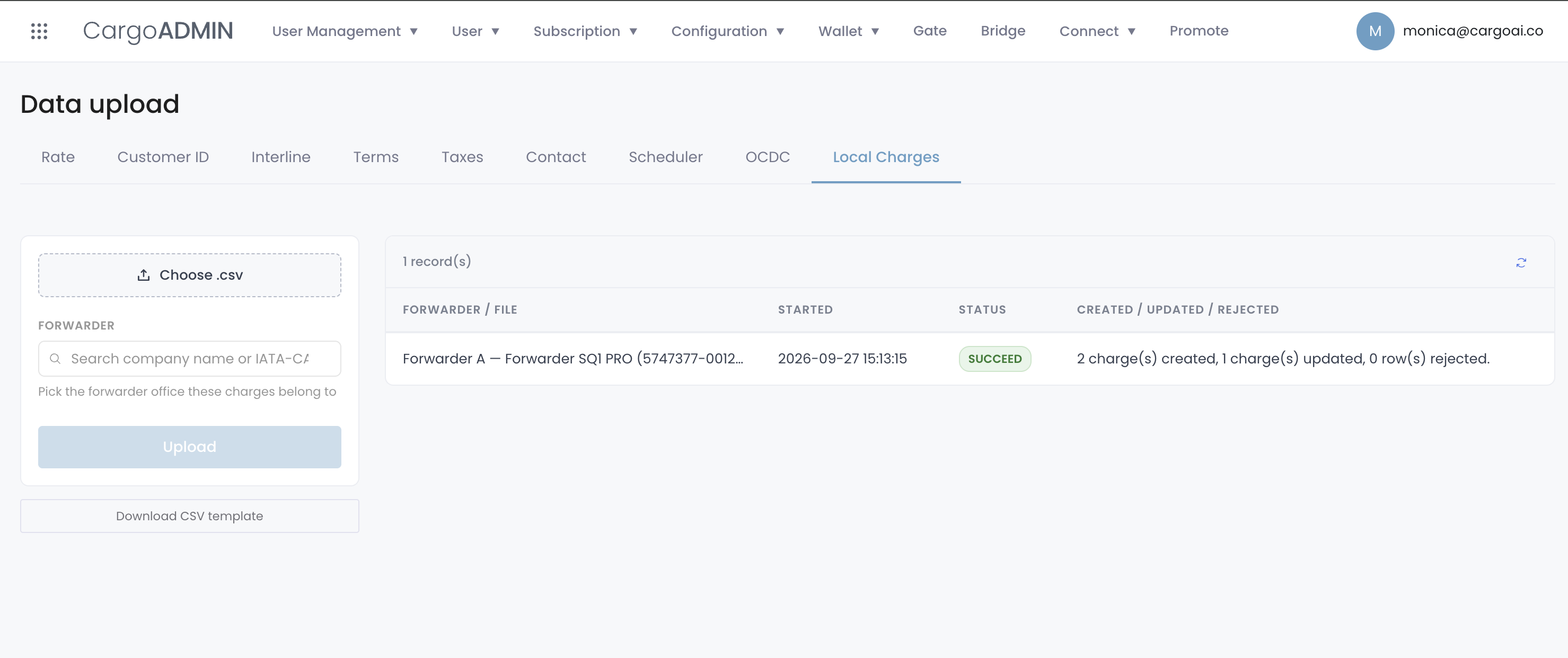
CargoAi's support team can now upload and manage local charges on behalf of forwarder offices through a centralized data upload process.
Local charge information is imported from CSV files, with individual entries validated before being created or updated.
Simplify the setup and maintenance of local charge data with support from the CargoAi team, helping keep your office's charge information accurate and up to date.
eAWB
Several improvements to CargoMART's electronic Air Waybill workflows this month, making it easier to manage security declarations, customs information, and shipment documentation.
Structured Security Declaration (e-CSD) in Master AWB
The Master AWB form now includes a dedicated Security Declaration section for electronic Consignment Security Declaration (e-CSD) information.
You can enter the issuing regulated agent and expiry date, select the appropriate security status (SPX, SCO, or NSC), and provide one or more screening methods or an exemption code.
Optional screener details, including name and screening date and time, can also be added.
A dedicated COMPLETE / NOT COMPLETE indicator helps you identify whether the required security information has been provided.
The information is transmitted as structured OCI data in the FWB message, replacing the previous workaround of entering security codes in SHC and additional free-text notes.
Submit security declarations in a more structured and standardized format, reducing manual workarounds and improving the quality of information transmitted to airlines.
Customs Origin Code (COR) in Master AWB
A new optional Customs Origin Code field is now available in the Handling Information section of the Master AWB form.
You can enter a one- or two-character COR code to declare the legal origin of the goods.
When provided, CargoMART automatically transmits the information in the appropriate FWB COR segment.
The field remains optional and does not prevent AWB creation when left empty.
Include customs origin information directly in your electronic AWB documentation using the format expected by customs authorities.
Clearer eAWB availability by airline
CargoMART now identifies whether an airline supports electronic AWB transmission through the available eAWB integration.
When eAWB is not supported, the eAWB button on the Shipment Details page is disabled and displayed in grey, with a tooltip explaining why the feature is unavailable.
Know immediately whether eAWB functionality is available for a specific airline, without attempting an action that cannot be completed.
Improved eAWB form usability
Several usability improvements have been introduced across the eAWB forms.
Dropdown lists and selectable data are now easier to navigate, State/Province fields display the correct information, and the Address field is no longer mandatory.
The redundant City Code field has also been addressed to simplify data entry.
Complete eAWB forms more efficiently with clearer fields, fewer unnecessary requirements, and more reliable location information.
REQ special handling code for General Cargo
The REQ (Excepted Quantities) special handling code is now available when booking General Cargo.
When selected, the code is included in the Commodity Summary associated with the quotation or booking request and transmitted to the airline.
Support the booking of eligible excepted-quantity dangerous goods shipments with the appropriate special handling information.
PDF document extraction for Master AWB
CargoMART's AI-assisted Master AWB creation now supports PDF uploads in addition to image files.
You can upload an existing AWB document as a PDF, and CargoCOPILOT automatically extracts available information to pre-fill the Master AWB form.
Reduce manual data entry when preparing electronic AWBs from existing PDF documents. Reuse shipment information more easily and speed up AWB creation.
Search Enhancements — Strategic Hub carrier priorities
Prioritize preferred airlines in search results

Carrier priorities configured by your forwarder headquarters in CargoMART Strategic Hub are now automatically reflected in CargoMART search results.
When a carrier priority configuration is available, CargoMART identifies the most relevant settings for the searched route, destination, origin, region, or global network.
Preferred airlines appear at the top of the "Best" search results in the order defined by your organization.
Airlines marked as hidden in Strategic Hub are excluded from search results across all sorting options.
If your company has not configured carrier priorities, search results continue to work as usual.
Align everyday booking decisions with your company's preferred airline strategy. Make strategically important carriers easier to find while keeping search results consistent with headquarters' procurement priorities.
Integrations — Connect your own mailbox
Send CargoMART emails from your own address
You can now connect your personal business mailbox directly to CargoMART.
The "Connect mailbox" feature is available under Personal Settings → Notifications and supports compatible email providers, including Gmail and Outlook.
Once connected, supported transactional emails can be sent using your own email address instead of the generic CargoAi sender address.
Your connected mailbox and email address are displayed in your settings, and you can disconnect the integration whenever needed.
Maintain a more personalized and consistent communication experience with your customers by sending supported CargoMART emails from your own business address.
Go to Personal Settings → Notifications and click Connect mailbox.
Upgrade
From more structured eAWB documentation and personalized customer communications to smarter airline prioritization and improved rate management, October's CargoMART updates are designed to make your daily workflows more efficient.
Explore the latest features in your CargoMART workspace and discover how CargoMART can help your team work with greater flexibility, visibility, and control.